Compatible with
Windows 10 x64
Windows 11 x64
6.1.4.0 | 80.1 MB | July 16, 2026
English, French, German, Spanish, Finnish, Arabic, and Simplified Chinese. Matches your Windows display language.
Download from a Windows 10 x64 or Windows 11 x64 PC.
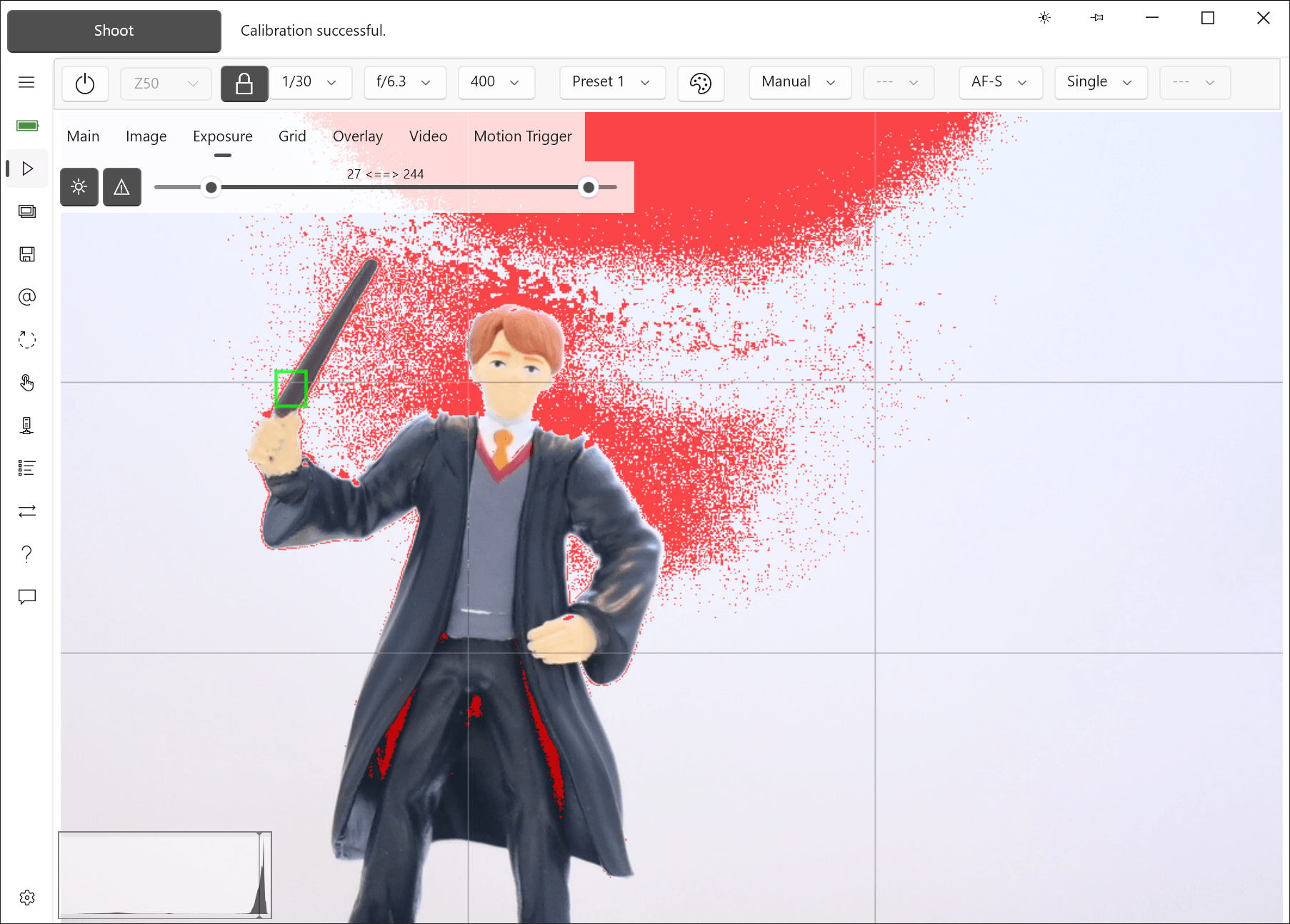
Live View with a compact workspace layout. The live histogram and exposure markers make problem exposure areas visible before the shot is taken.
Compatible with
Windows 10 x64
Windows 11 x64
DSLR: D4, D4S, D5, D500, D5200, D5300, D5500, D5600, D6, D600, D610, D750, D780, D7100, D7200, D7500, D800, D800E, D810, D810A, D850, Df
Z series: Z5, Z50, Z6, Z6II, Z7, Z7II, Z8, Z9, Z30*, Z50II*, Z5II*, Z6III*, Zf, Zfc*, ZR*
Some newer Z bodies use Nikon's v2 Remote SDK mode, which currently limits a few camera-side operations. Set the mode in ControlMyNikon's Settings > Body > Connection tab.
Affected bodies:
Z30, Z5II, Z50II, Z6III, ZR, Zfc
In v2 Remote SDK mode:
Other Z bodies are not affected when using Legacy Remote SDK mode.
You do not need to uninstall your current version before installing a new one.
Installation does not overwrite your existing version. It creates a separate installation that can coexist with previous versions, so you can return to an earlier version if needed.
This is a free upgrade for version 6 license holders.
Install the latest trial version, then enter your existing license key. You can find your product key in the app under Settings > License.
You can manually copy over your settings profiles as described in the installation tips.
Version 6 is a completely new app from a profiles and settings viewpoint and is not compatible with version 5 settings.
You do not need to uninstall version 5.
A Moving to version 6 discount coupon is available.