Live View & Focus
See what the camera sees. Check focus, compose, and fine-tune your shot.
Capture faster, automate more, and streamline professional workflows with advanced camera control, easy triggers, and image management tools.Capture faster, automate more, and streamline professional workflows.Get more value from the camera gear you already own.
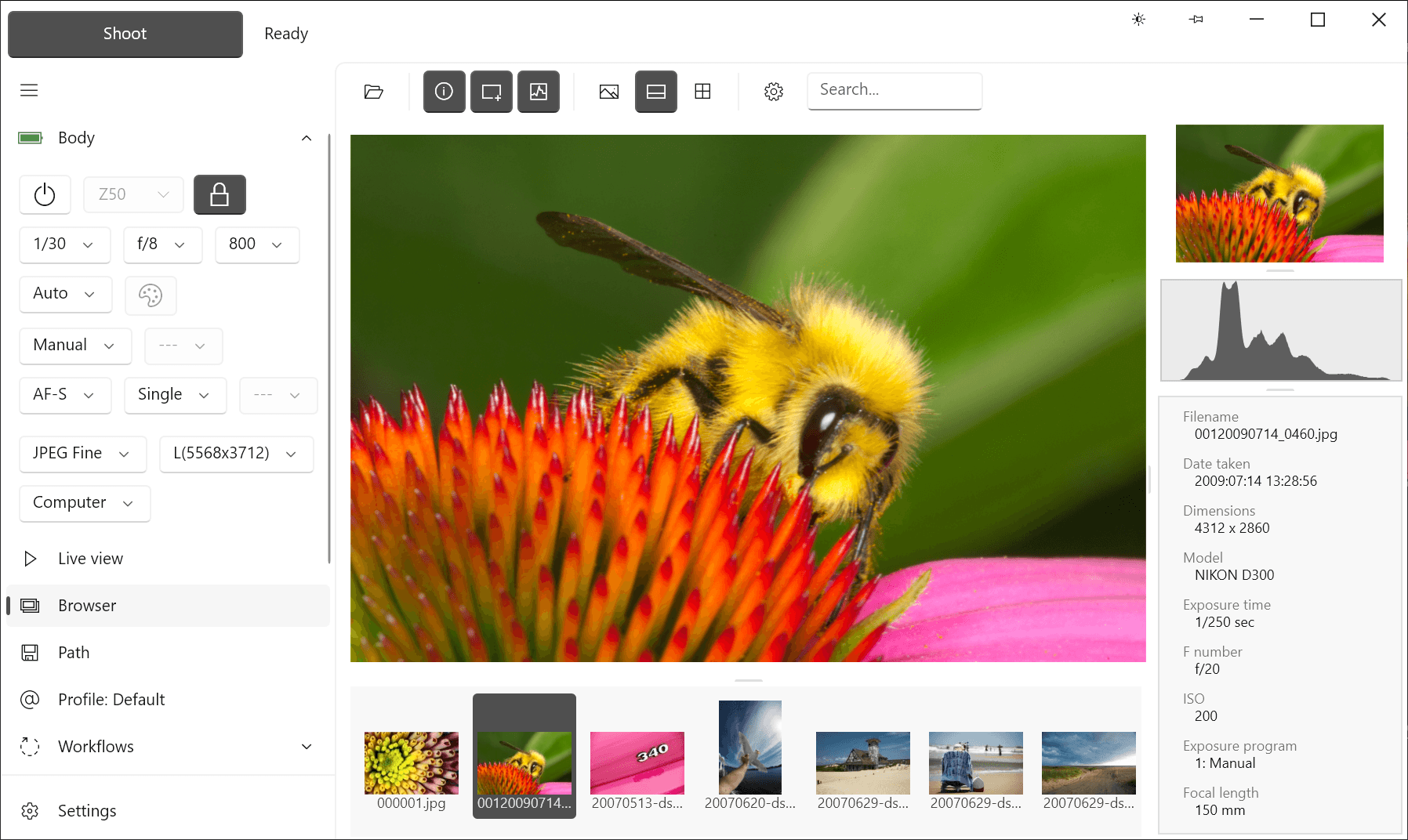
ControlMyNikon 6 with a Nikon Z50 connected and ready, showing the built-in Image Browser.Using a Nikon Z50 and Image Browser.
No credit card. No email required.
Ready to try it on your Windows PC?
Get the free trial. No credit card or email required.
60-day Money-Back Guarantee.
Buy once. No subscription.
Includes three licenses.Money-back guarantee, no subscriptions.
Trusted by professionals and enthusiasts inTrusted by professionals in
See what the camera sees. Check focus, compose, and fine-tune your shot.
Keep your files organized by using dynamic image path and filenames with powerful Path tokens.
Trigger captures from motion, voice, sound, TCP/IP, HTML and MCP.
Create repeatable workflows for studio, lab, or field. Includes focus stacking, ISO, aperture and shutter speed bracketing, burst, bulb and pulse.
Treats every capture as a save transaction, verifying the file reaches its final PC destination before the job is considered complete.
Collect typed or scanned values during capture and reuse them in paths, filenames and metadata.
Convert NEF originals into 16-bit TIFF working files while leaving the source files unchanged. Uses Nikon's official Imaging SDK.
Runs entirely on your PC with no cloud dependency and no AI processing. Built with Microsoft-approved libraries, with a published library audit so you can see exactly what is included.
Use the website and app in English, French, German, Spanish, Finnish, Arabic, or Simplified Chinese. The app automatically follows your supported Windows display language.
DSLR: D4, D4S, D5, D500, D5200, D5300, D5500, D5600, D6, D600, D610, D750, D780, D7100, D7200, D7500, D800, D800E, D810, D810A, D850, Df
Z series: Z5, Z50, Z6, Z6II, Z7, Z7II, Z8, Z9, Z30*, Z50II*, Z5II*, Z6III*, Zf, Zfc*, ZR*
Some newer Z bodies use Nikon's v2 Remote SDK mode, which currently limits a few camera-side operations. Set the mode in ControlMyNikon's Settings > Body > Connection tab.
Affected bodies:
Z30, Z5II, Z50II, Z6III, ZR, Zfc
In v2 Remote SDK mode:
Other Z bodies are not affected when using Legacy Remote SDK mode.
Compatible with
Windows 10 x64
Windows 11 x64
Our built-in help system and comprehensive guides will get you up and running quickly.
Connect with other users, share workflows, and get tips from the community.